

How to Install the Betsson App in the UK
For UK players who prefer mobile gambling, the Betsson app offers a convenient way to access casino games, live casino tables, sports betting and account features from a smartphone or tablet. The application is designed for quick navigation, secure payments and a smooth experience on compatible devices.
This guide explains how to install the Betsson app in the United Kingdom, what to check before registration, how to sign in safely and which features are worth exploring after installation. It also covers responsible gambling requirements that apply to UK customers.
What Is the Betsson App?
The Betsson app is a mobile platform that allows registered customers to use Betsson services without relying entirely on a desktop browser. Depending on the version available for your device and account location, you may be able to play online casino games, join live casino sessions, place sports bets, manage promotions and contact customer support.
The app usually provides access to popular casino categories, including slots, table games, jackpot titles, roulette, blackjack and live-dealer games. Game availability can change because of licensing, software-provider restrictions and updates to the UK market.
A mobile application can be useful for players who want:
- fast access to their Betsson account;
- mobile-friendly casino and live casino menus;
- secure deposits and withdrawals;
- personalised offers and account notifications;
- access to support while travelling within permitted locations.
Before You Install the Application
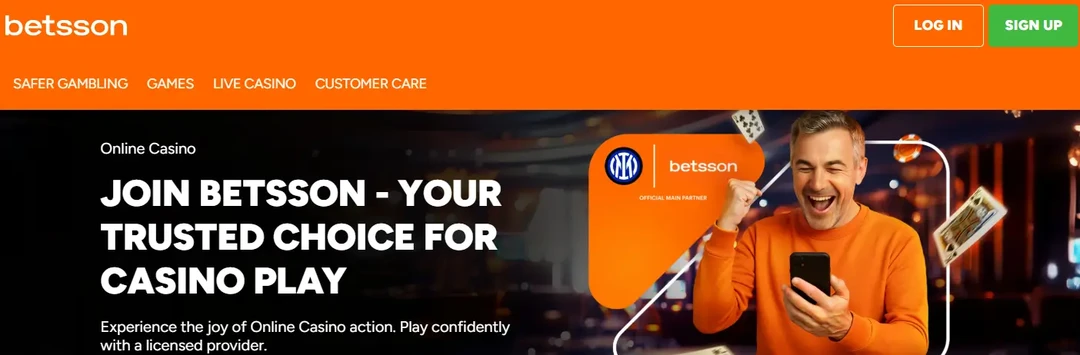
Before downloading anything, confirm that you are using the official Betsson website or the official application store connected to your device. Avoid unofficial download pages, modified APK files and links shared through unknown social media accounts. These sources may contain harmful software or imitate the genuine Betsson login page.
UK customers should also check that they meet the basic eligibility requirements. Online gambling is restricted to people aged 18 or over. Betsson may request identity and age verification before allowing deposits, withdrawals or continued play. You should provide accurate personal information and use an account in your own name.
It is also sensible to prepare a reliable internet connection and enough storage space. Keeping your phone’s operating system updated can improve compatibility and security. If your device uses parental controls, workplace restrictions or a security application that blocks gambling services, the installation process may not work until those settings are reviewed.
How to Install the Betsson App on Android
Using the official source
Android users should begin at the official Betsson UK website. Look for the mobile app section and follow the current download instructions shown for UK customers. The exact process can vary according to Betsson’s distribution method and the version of Android installed on your device.
- Open the official Betsson website in your mobile browser.
- Select the app or mobile casino section.
- Choose the Android option if it is available for your device.
- Follow the displayed download instructions.
- If Android requests permission to install an application from an external source, review the source carefully before continuing.
- Install the application and wait for the process to finish.
- Open the app and check that the address, branding and security information correspond to the official Betsson service.
Some Android customers may be directed to a recognised app store, while others may receive instructions for an official installation package. If the website provides no Android download option, use the mobile browser version instead of searching for an unofficial file.
Security checks after installation
After opening the app, review its requested permissions. A casino application normally should not require access that is unrelated to its operation. Keep Google Play Protect or your device’s equivalent security feature enabled, and do not disable security settings simply to install an unknown file.
How to Install the Betsson App on iPhone or iPad
Apple users should search for the official Betsson application in the UK App Store, if an app is listed for their region. Check the developer name, logo, description and reviews before downloading. Avoid similarly named applications that are not clearly connected with Betsson.
- Open the App Store on your iPhone or iPad.
- Search for the official Betsson app.
- Check the developer details and UK availability.
- Tap Get or the cloud download icon.
- Confirm the download using Face ID, Touch ID or your Apple ID password.
- Open the application after installation.
- Sign in or create an account through the official registration process.
If the app is not visible in the UK App Store, Betsson may currently be directing customers to a mobile website instead. In that situation, open the official Betsson site in Safari and use the share menu to add a shortcut to your home screen. This shortcut can provide an app-like experience without installing an independent application.
Creating an Account and Using the Betsson Sign Up Offer
New customers can normally register by selecting the sign-up button and entering their name, date of birth, address, email address and contact details. The information must be correct because Betsson may compare it with identity documents and payment records.
Promotional terms should be read carefully before accepting any offer. A betsson sign up offer may include wagering requirements, a minimum deposit, qualifying bets, game restrictions, a maximum bonus value, a time limit or specific withdrawal conditions. Promotional availability can differ between customers and may be changed or withdrawn by the operator.
Before making a deposit, check:
- the minimum qualifying deposit;
- the expiry date of the promotion;
- which casino games contribute to wagering;
- the maximum stake allowed while a bonus is active;
- whether bonus funds or winnings have a withdrawal limit;
- whether the offer is available to UK residents and new accounts only.
Never create multiple accounts to claim the same promotion. Duplicate accounts can lead to account restrictions, cancelled bonuses or delayed withdrawals.
Signing In Safely on Mobile
Use a strong, unique password for your Betsson account and do not share it with anyone. If two-step verification or another security feature is offered, enable it. Avoid signing in through public Wi-Fi when entering payment information, especially if the network is unsecured.
When using the app, verify that you are interacting with the genuine service. Be cautious of unexpected emails or messages asking you to confirm passwords, card details or one-time codes. Betsson support should be contacted through the official website or the support options inside the verified application.
What You Can Do in the Betsson App
Once installation and registration are complete, the app typically places the main services in a bottom menu or side navigation panel. Casino players can browse by category, search for a title and open game information before playing. Many games include details about paylines, volatility, features and theoretical return to player, although the exact information depends on the software provider.
Live casino sections may include roulette, blackjack, baccarat and game-show formats hosted by live dealers. These games generally require a stable connection because the session is streamed in real time. If your connection is weak, the stream may pause or the table may become unavailable.
Payment options depend on the account and current UK availability. Before depositing, review the minimum and maximum limits, processing times and any fees. A withdrawal may require identity verification, and the payment method usually needs to belong to the registered account holder.
Managing Limits and Responsible Gambling
Mobile access makes it easy to play frequently, so account controls are important. Betsson may provide tools such as deposit limits, loss limits, session reminders, reality checks, time-outs and self-exclusion. Set limits before depositing rather than waiting until spending becomes difficult to control.
A deposit limit restricts how much you can add during a selected period. A time-out temporarily blocks gambling, while self-exclusion is intended for a longer break. If gambling is causing financial, emotional or relationship problems, stop playing and seek independent support from a recognised UK organisation such as GamCare or the National Gambling Helpline.
Common Installation Problems
The app cannot be found
This may mean the application is unavailable for your regional store, has been replaced by a browser-based version or is incompatible with your operating system. Use the official Betsson website for current instructions rather than downloading from an unrelated source.
The download stops or fails
Check your internet connection, free storage and operating-system version. Restart the device and try again through the official store or website. Do not repeatedly install files from unknown locations.
The app opens but login fails
Confirm that your email address and password are entered correctly. If you have forgotten your password, use the official reset option. Clear outdated app data only when you understand the effect, and contact Betsson support if the account has been locked or requires verification.
Payments are unavailable
Payment features may be restricted until age or identity checks are completed. A card can also be declined by the bank, expired or unsupported by the operator. Check the cashier instructions and contact official support if a transaction remains pending.
Final Verdict
Installing the Betsson app in the UK is generally straightforward when you use the official website or recognised app store. Android users should follow Betsson’s current download instructions, while iPhone and iPad users should check the UK App Store or use the official mobile website if no dedicated app is listed.
After installation, protect your account with a strong password, verify promotional terms before opting in and set responsible gambling limits. The app can make casino access convenient, but safe use depends on controlling spending, checking every offer and using only legitimate Betsson channels.

